

Mastering Core Web Vitals:A Deep Dive into INP, LCP, and CLS Optimization
A hands-on engineering blueprint for passing Google's Core Web Vitals assessment with green 100/100 scores across mobile and desktop devices.
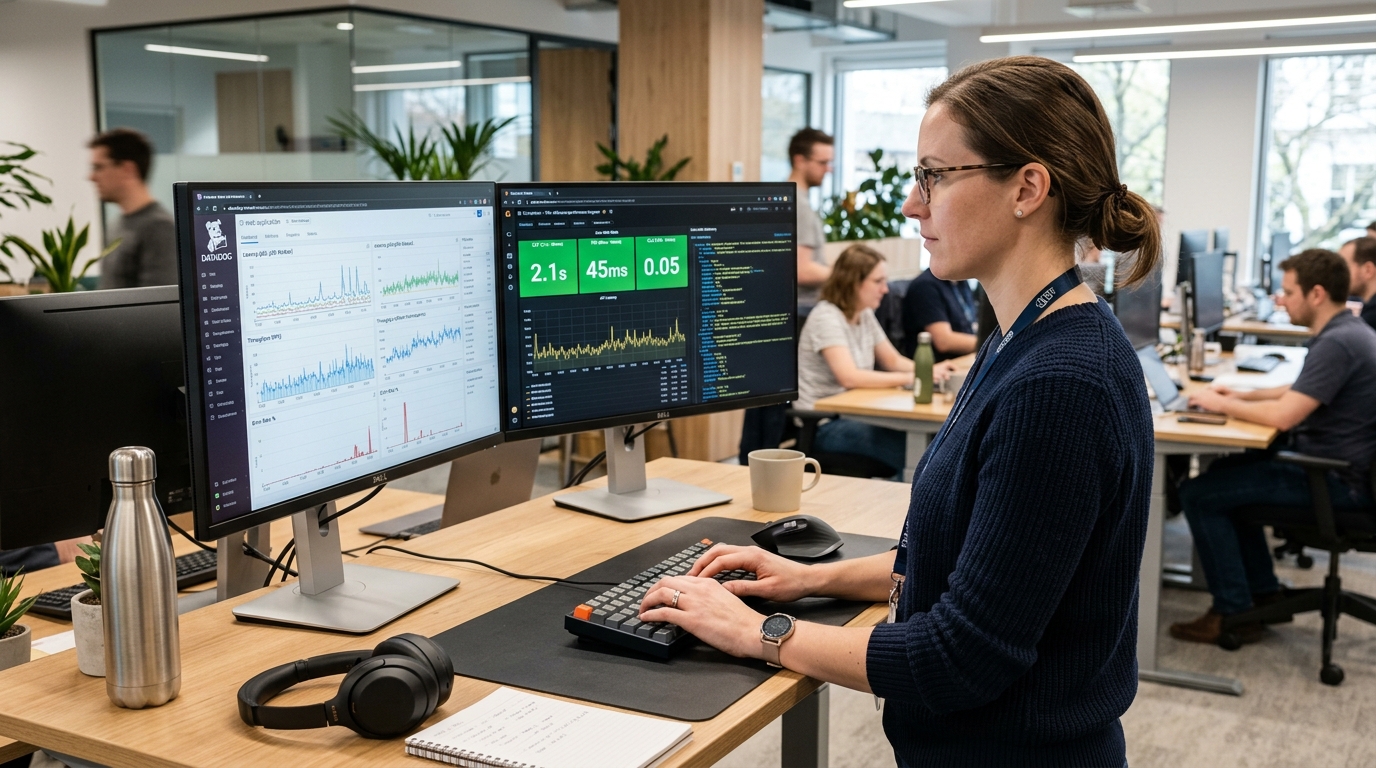
1. Understanding the Core Metrics: LCP, INP & CLS
Google's Core Web Vitals represent the definitive technical benchmark for real-world user experience. Passing these metrics is no longer just a technical feather in the cap—it is a confirmed ranking factor that directly influences organic search visibility and ad quality scores.
To pass Google's assessment, at least 75% of real-world visitor sessions must register: LCP < 2.5s, INP < 200ms, and CLS < 0.1 across both 75th percentile mobile and desktop field data.
2. Cracking Largest Contentful Paint (LCP)
LCP measures perceived load speed by timing when the largest visual element in the viewport finishes rendering. Common bottlenecks include uncompressed hero images, late-discovered web fonts, and render-blocking stylesheets.
| Core Metric | Target Threshold | Root Cause of Degradation | Primary Engineering Solution |
|---|---|---|---|
| LCP | < 2.5 seconds | Heavy hero assets, slow TTFB | Next/Image priority, edge CDN caching |
| INP | < 200 milliseconds | Main-thread JavaScript execution | Task yielding via scheduler.yield() |
| CLS | < 0.1 score | Images/ads without explicit dimensions | aspect-ratio CSS, reserved layout containers |
3. Optimizing Interaction to Next Paint (INP)
INP replaced First Input Delay (FID) to evaluate the responsiveness of every user interaction throughout the entire session lifecycle. Long-running JavaScript tasks that block the main thread cause button clicks and dropdown toggles to feel sluggish.
Pro Tip for INP: Break heavy calculation tasks into micro-chunks using requestIdleCallback or modern scheduler.yield() so the main browser thread can paint immediate visual feedback.
4. Eliminating Cumulative Layout Shift (CLS)
Visual instability occurs when elements move while the page continues loading. Always reserve layout containers for dynamic banners and ensure custom web fonts use font-display: optional with size-adjust fallbacks to eliminate layout jank completely.
Pitfall Alert: Dynamic cookie consent banners and third-party chat widgets injected at runtime are the #1 cause of sudden CLS spikes on mobile devices.
Need Architectural Guidance or Performance Remediation?
Our software engineers evaluate your existing website speed, Core Web Vitals bottlenecks, and headless Next.js architecture to unlock scalable digital performance.
Found this teardown insightful?
Share it with fellow engineers, founders, and digital strategists.
Nexovio Performance Engineering
Frontend Optimization LabPublished by the technical architecture team at Nexovio Digital Solutions. We engineer custom web platforms, high-performance UI/UX design systems, and search intelligence frameworks for scaling businesses worldwide.
Related Engineering & Strategy Guides
Explore relevant technical architecture teardowns and performance blueprints.

Next.js 15 App Router Best Practices & Performance Optimization
Explore key architectural patterns, server components, and performance optimization strategies in Next.js 15 for enterprise web applications.
Custom Web Development vs. Website Builders: An Architectural & Commercial Evaluation
A technical and business analysis comparing custom Next.js architectures with off-the-shelf site builders across performance, SEO crawlability, scalability, and long-term TCO.

Why Slow Websites Sabotage B2B Lead Conversion: Beyond the Bounce Rate
Unpacking the hidden cognitive and psychological friction caused by website latency, and how sub-second responsiveness directly protects marketing spend.
The Comprehensive Technical SEO Checklist for Modern Web Platforms
An actionable engineering guide to crawling, indexing, canonicalization, JSON-LD structured data, and Core Web Vitals for modern web applications.

Integrating AI Agents & Automation into Modern Web Architectures: Beyond Simple Chatbots
How forward-thinking digital platforms integrate autonomous AI agents, semantic vector search, and edge workflows to eliminate manual bottlenecks and create dynamic customer experiences.

Headless CMS vs. Traditional Monolithic CMS: Engineering Scalability for Enterprise Brands
A comparative analysis of headless content infrastructure against legacy monoliths, covering omnichannel delivery, developer velocity, and edge caching strategies.
Next.js 15 App Router Best Practices & Performance Optimization
Explore key architectural patterns, server components, and performance optimization strategies in Next.js 15 for enterprise web applications.
Custom Web Development vs. Website Builders: An Architectural & Commercial Evaluation
A technical and business analysis comparing custom Next.js architectures with off-the-shelf site builders across performance, SEO crawlability, scalability, and long-term TCO.
Why Slow Websites Sabotage B2B Lead Conversion: Beyond the Bounce Rate
Unpacking the hidden cognitive and psychological friction caused by website latency, and how sub-second responsiveness directly protects marketing spend.
The Comprehensive Technical SEO Checklist for Modern Web Platforms
An actionable engineering guide to crawling, indexing, canonicalization, JSON-LD structured data, and Core Web Vitals for modern web applications.
Integrating AI Agents & Automation into Modern Web Architectures: Beyond Simple Chatbots
How forward-thinking digital platforms integrate autonomous AI agents, semantic vector search, and edge workflows to eliminate manual bottlenecks and create dynamic customer experiences.
Headless CMS vs. Traditional Monolithic CMS: Engineering Scalability for Enterprise Brands
A comparative analysis of headless content infrastructure against legacy monoliths, covering omnichannel delivery, developer velocity, and edge caching strategies.
Enjoyed this technical teardown?
Subscribe to receive our latest engineering guides, Core Web Vitals optimization blueprints, and digital strategy insights directly to your inbox.